
Everything in one platform
One system to run your whole restaurant
Ordering, payments, the floor and your customer data. Every module below is built into Bitte and talks to the rest, so you run one system rather than six stitched together.
Modules and tiers decide what a plan carries, so not everything below is on every plan. See what each plan includes.
Sell everywhere
Your own ordering site, not a listing on someone else's
Diners order from you directly — on your own domain, from a QR code at the table, or through a widget on the site you already have.
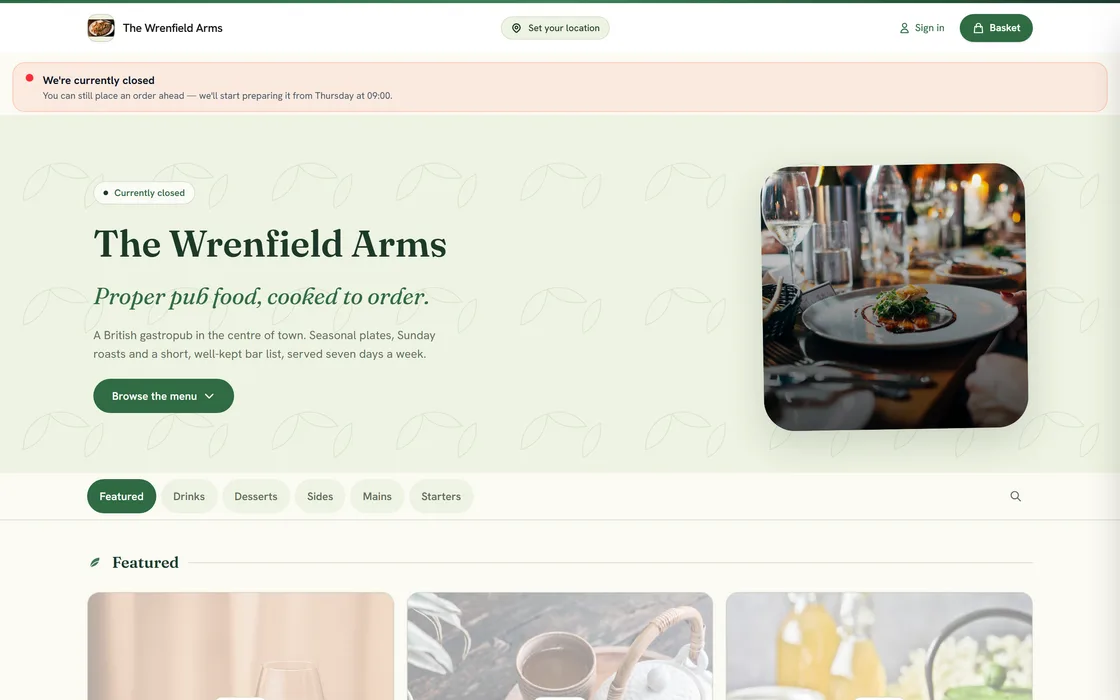
Your own ordering website
Take orders from your own branded site, never a marketplace listing.
A fast PWA storefront your customers order from directly. No app to install, no marketplace burying you next to ten competitors, no anonymous customers.
QR menu & order from the table
Diners scan, browse and order from their phone, no app, no waiting.
Print a QR code per table. Guests open your live menu, order and re-order without flagging down a waiter, and the order drops straight into your POS and kitchen.
Ready-made storefront themes
Launch a polished storefront from a set of conversion-tuned themes.
Pick a theme, drop in your menu and brand, and go live. Each one is built for ordering, not just looks — and new designs are added regularly.
Your brand, your domain
A white-label storefront on your own custom domain.
Your customers see your name and your domain. Bitte appears only as a quiet 'Powered by' in the footer.
Booking widget for your own site
Take bookings from the website you already have.
Drop one snippet into your existing site and the diary behind it is the same one your floor staff work from. No migration, no second calendar to keep in step.
Get paid
Take every kind of payment and keep your margin
Card and PayPal online, cash and card at the door, and a bill a table can split between them. Your takings are reconciled and settled every week.
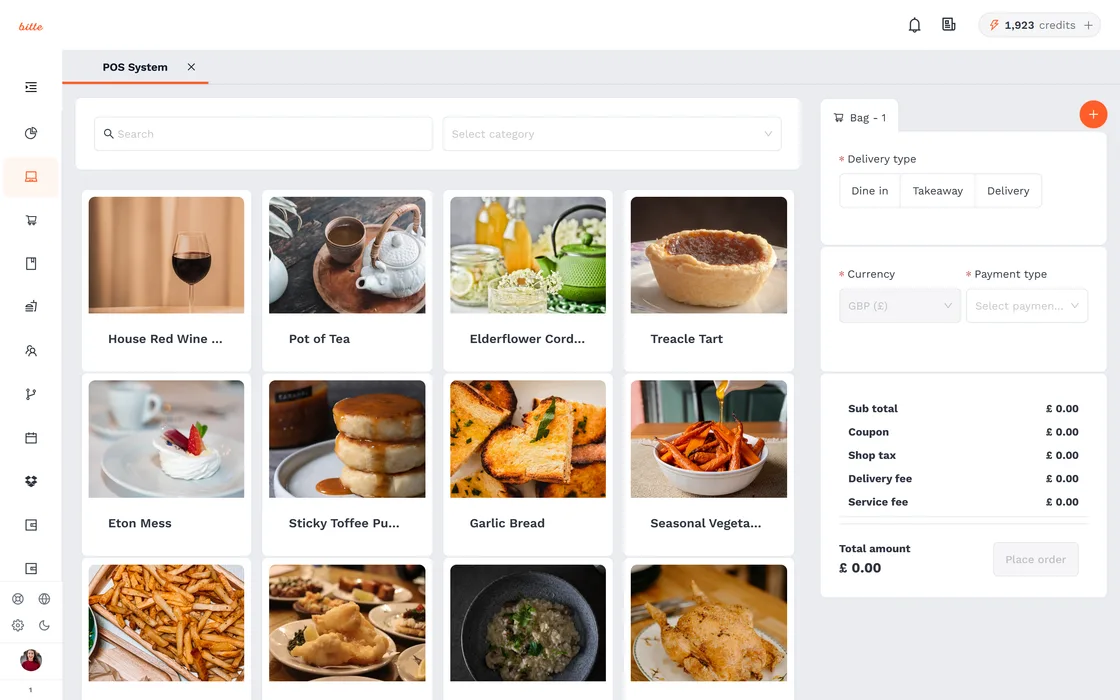
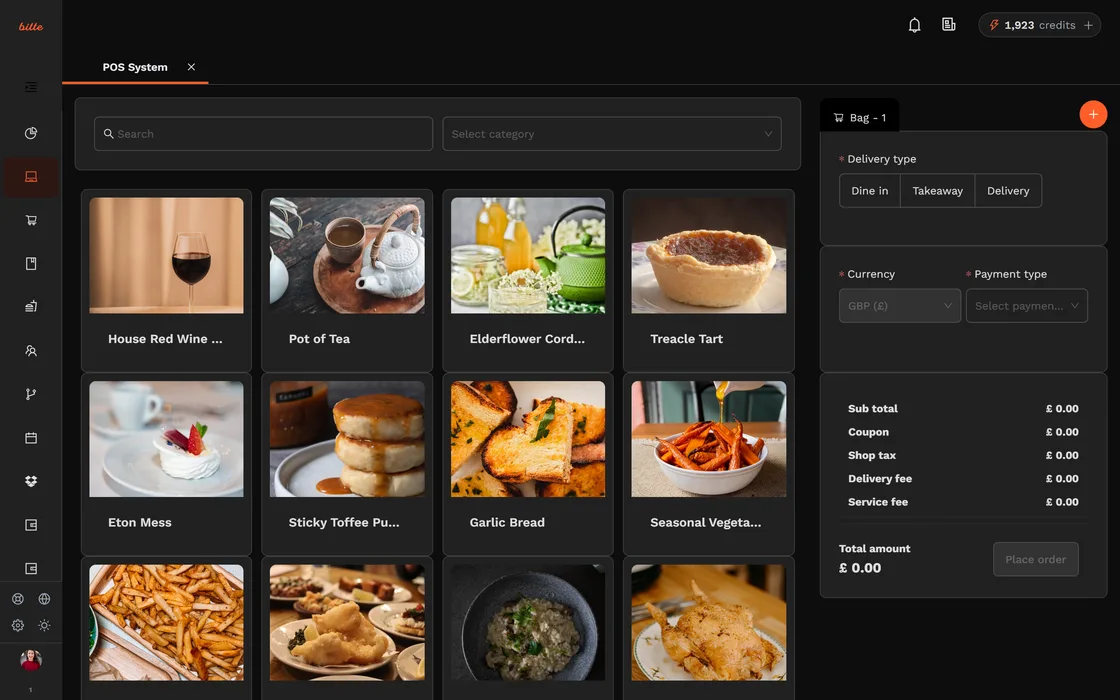
Stripe & PayPal payments
Card, Apple Pay, Google Pay and PayPal out of the box.
Secure online payments through Stripe and PayPal, with cash and card-on-delivery always available. You never wire customer card details through us.
Group order & split the bill
Let a table split the bill by item or evenly, each paying their share.
Friends order together and settle up their own way. Fewer awkward maths moments, faster table turnover.
Pay at the table by QR
Diners settle up by scanning, no card-machine trips.
Guests pay from their phone when they are ready. Less waiting, fewer staff trips, faster turnover.
Weekly settlement
Your takings are reconciled and settled to you every week.
A predictable weekly remittance cycle: each Friday your takings are reconciled and your share is settled, with funds collected securely through Stripe.
Run the floor
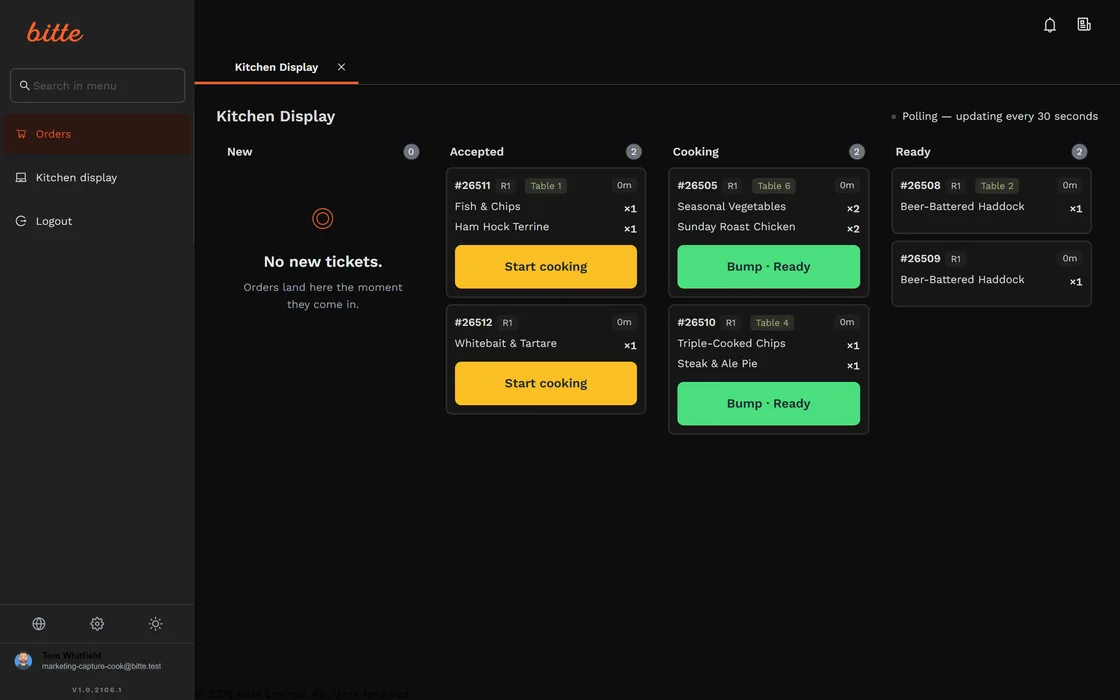
One kitchen screen for every order you take
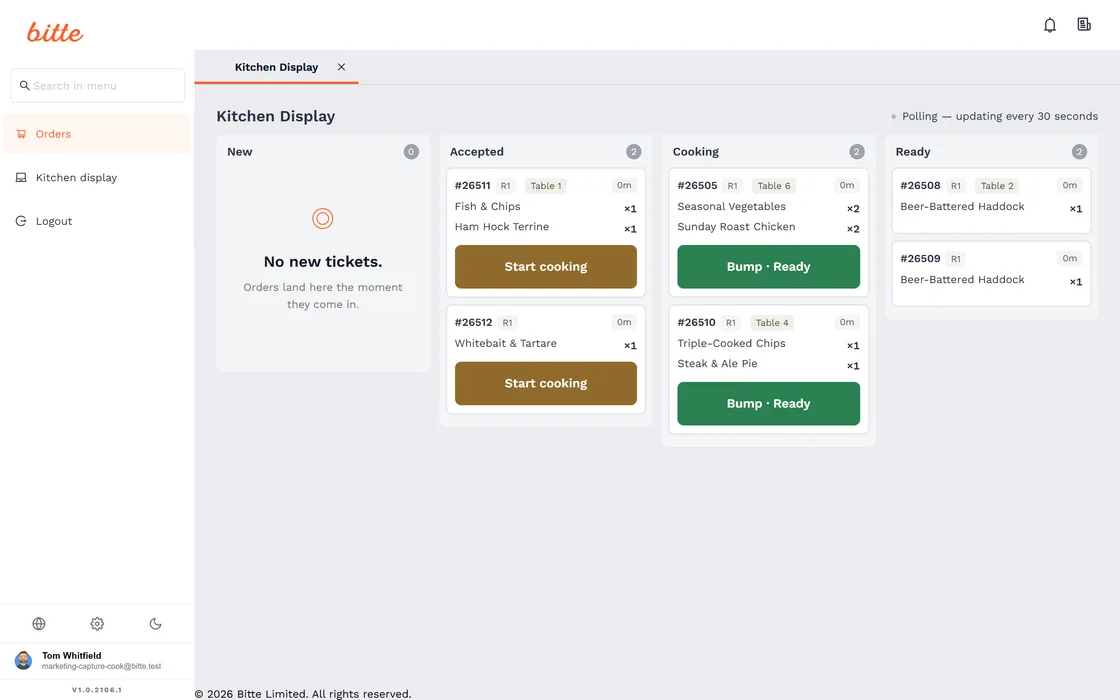
Online, QR and till orders arrive in the same queue, in the order they came in. Nobody reads back through a printer roll to find out what is late.
Built-in POS
Ring up walk-ins, split bills and itemise orders from one till.
A till that shares one menu, one stock count and one set of numbers with your online orders. No reconciling two systems at close.
Kitchen display (KDS)
Orders fire straight to a kitchen screen, no paper tickets.
Every order, online or in-house, lands on the kitchen screen in sequence. Bump tickets as they go out, see what is running late.
Staff accounts & roles
Invite waiters, cooks and managers with the right access each.
Everyone gets the view they need and nothing they do not. A cook never sees the owner's reports.
Staff rota, hours and labour cost
Plan the rota and see what a shift actually costs.
Build the week, track hours against it, and read labour cost beside the takings it produced rather than a month later in a spreadsheet.
Fill your tables
A diary that knows the shape of your room
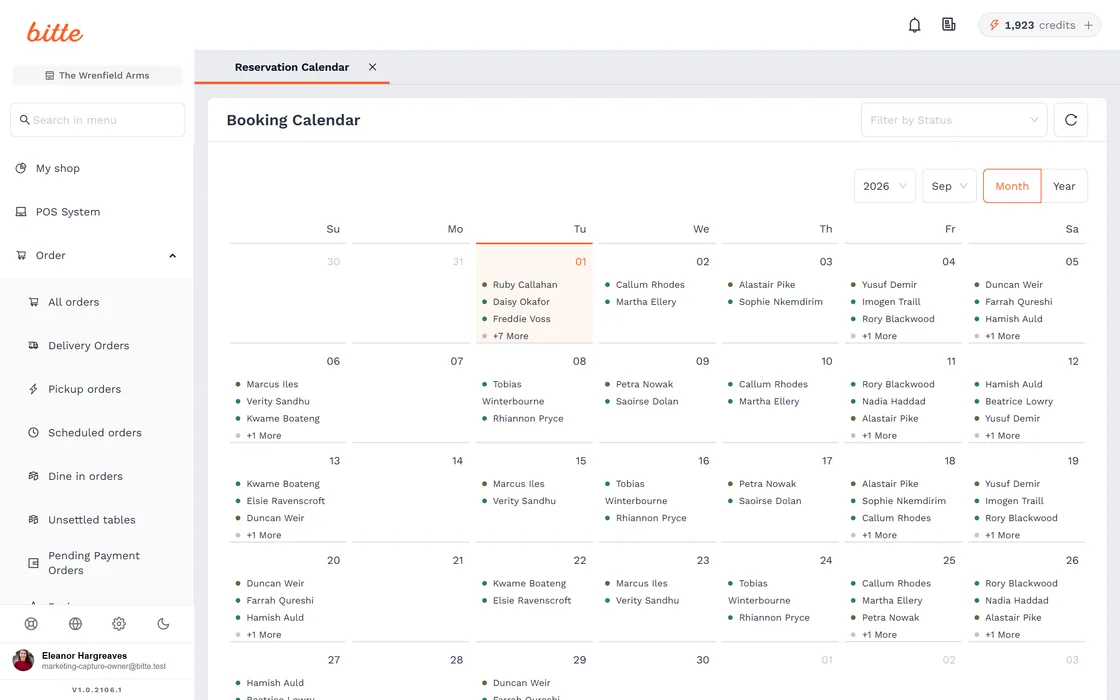
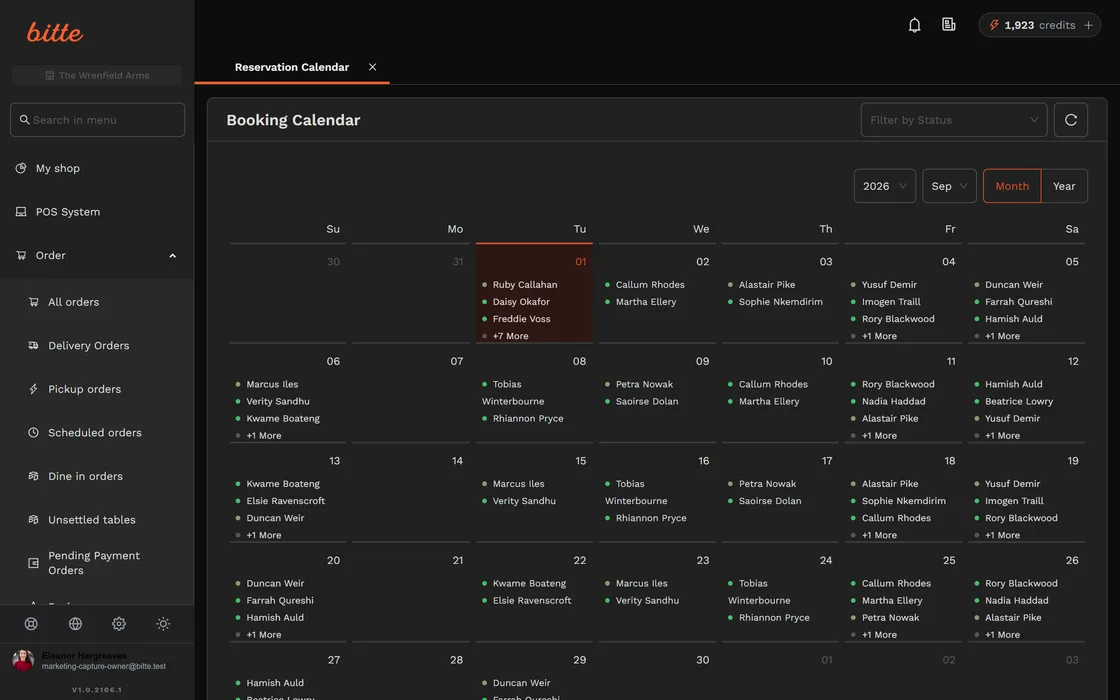
Bookings arrive from your site, from Google and from the channels your guests already use, and every one of them lands on the same floor plan.
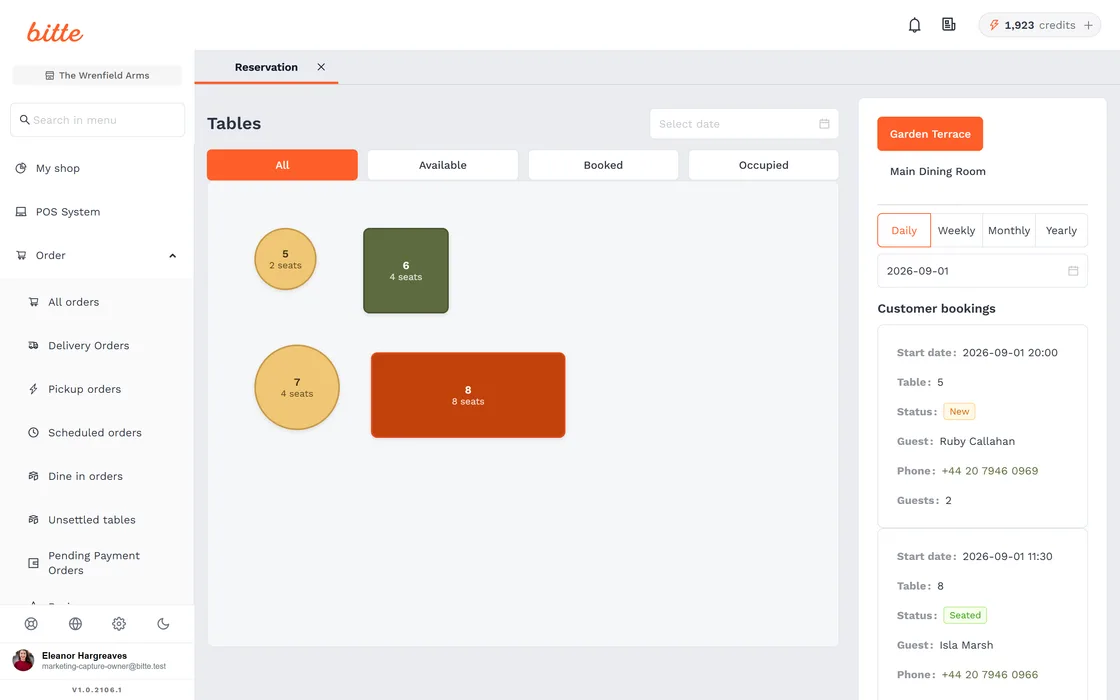
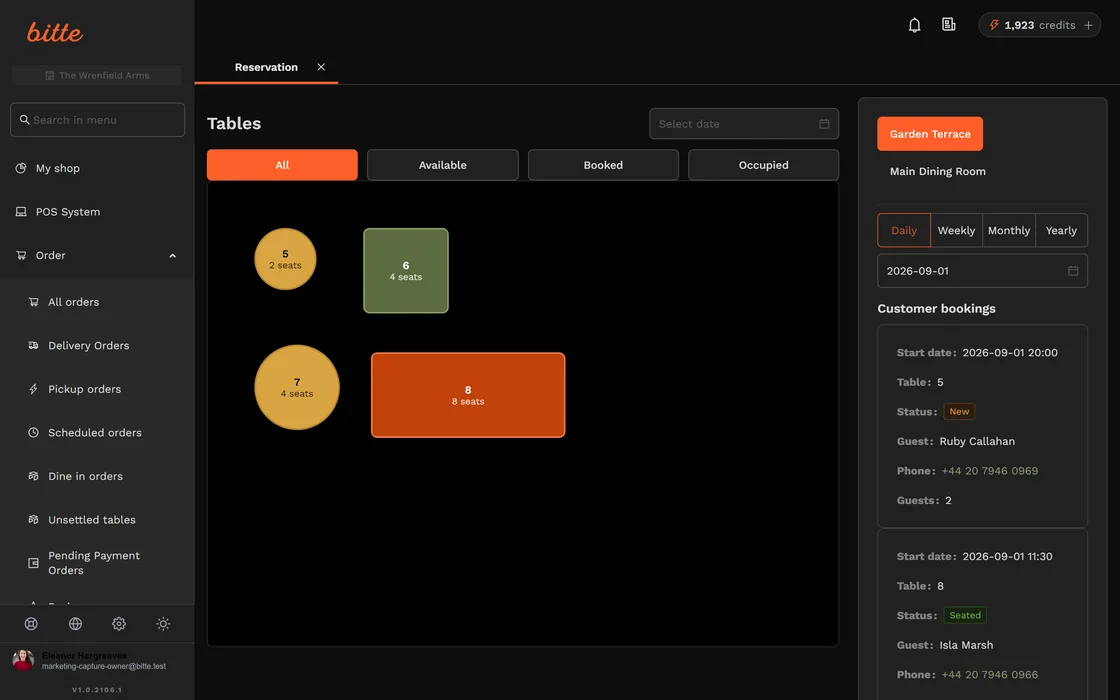
Table reservations
Take bookings online with floor-plan-aware availability.
Guests book the right table for the right covers. You see the night fill up in real time.
Floor plan & table builder
Lay out your room and manage covers visually.
Build your floor plan once, then run the service from it: who is seated, who is due, what is free.
Deposits & no-show protection
Take a deposit on booking to cut no-shows.
Hold a card or take a deposit for high-demand slots. Empty tables you booked out stop costing you money.
Pacing rules
Stop the kitchen being handed twelve covers at once.
Cap how many covers can be seated in any slot. The diary spreads a full night across the service instead of letting one 20:00 rush decide how the evening goes.
Standby and waitlist
Fill a cancellation without picking up the phone.
Guests join a waitlist for a full night and are offered the table when one frees up, so a late cancellation stops being an empty table.
Reserve with Google
Be bookable straight from Google Search and Maps.
A diner who finds you on Google books you there and then, instead of being handed a phone number at the moment they were ready to commit.
Booking channel connections
One diary behind every place people find you.
Connect the channels your guests already use. Every booking lands in the same diary with the same table map, so two sources cannot sell the same table twice.
Stay in control
Live numbers, and a warning before you sell out
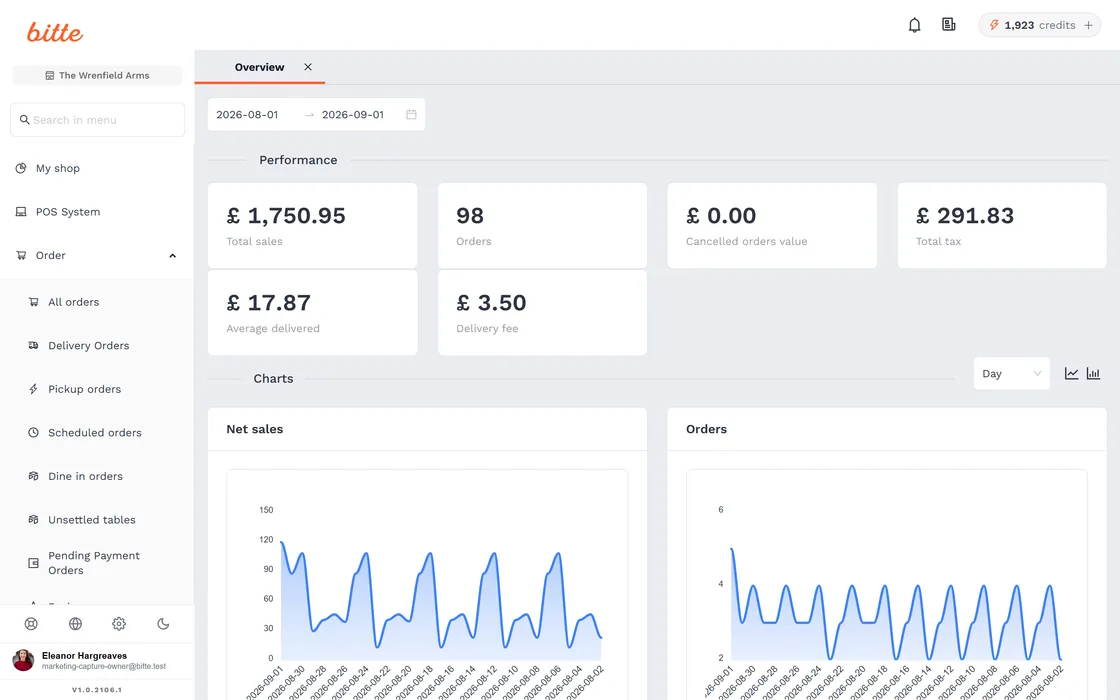
Takings, order counts and busy hours across online and in-house — and a live alert the moment a line runs low, so you mark it off before a diner orders it.
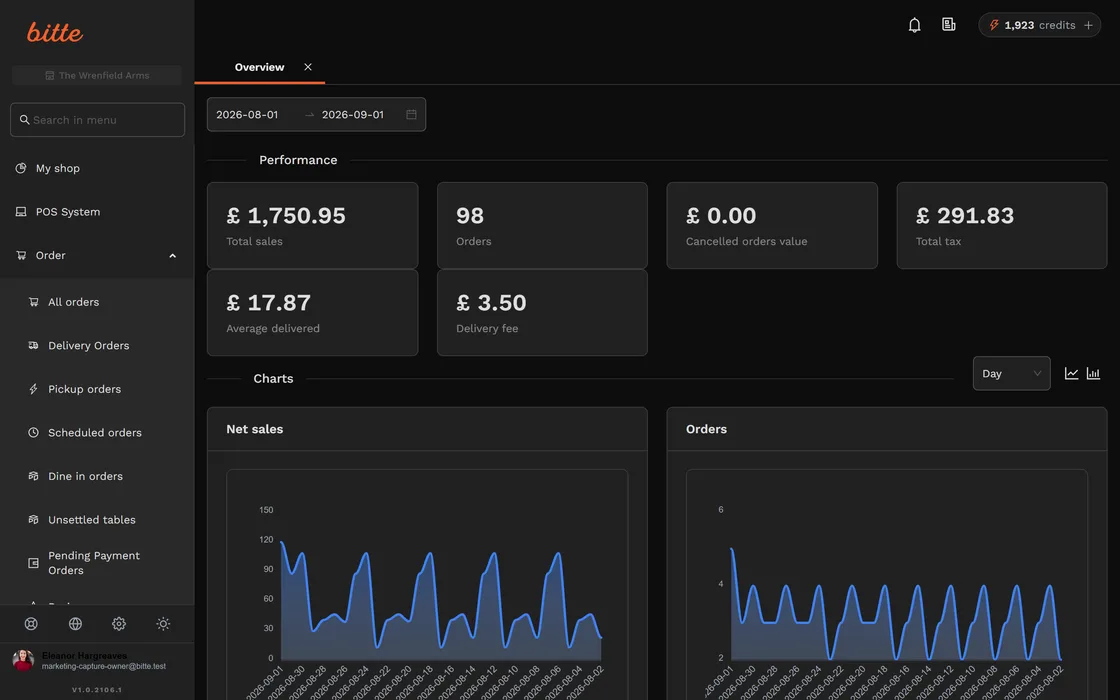
Sales statistics
See what sells, when, and how much you are making.
Live numbers across online and in-house: best sellers, busy hours, takings. Decisions from data, not gut.
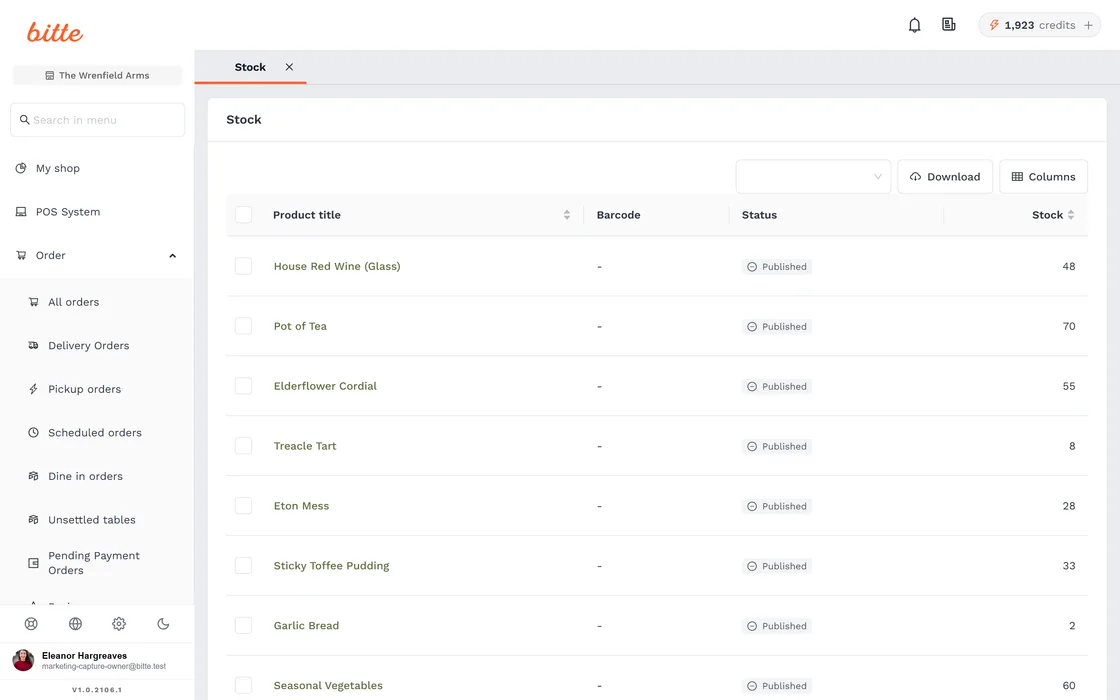
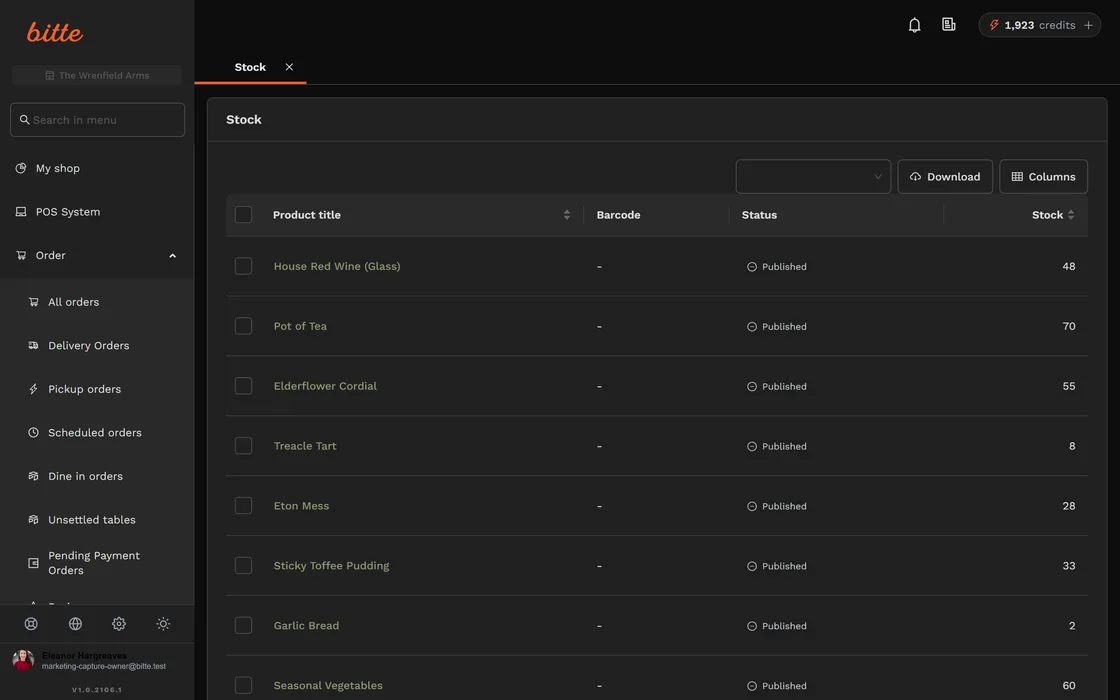
Stock & low-stock alerts
Get a real-time warning before you sell out.
Track stock per product and get a live alert the moment something runs low, so you mark it sold-out before a customer orders it.
Stock control and branch transfers
Know what you hold, and move it between sites.
Track stock properly rather than reacting to a sold-out dish, and transfer between branches instead of ordering twice.
Advanced reports and branch comparison
Put your sites side by side.
Compare branches on the numbers that matter — takings, best sellers, busy hours — instead of exporting each one and reconciling by hand.
Grow revenue
Lift the order you already have
The diner is on your site with a basket open. These are the levers you can pull without buying another one.
Cashback & loyalty wallet
Reward repeat diners with cashback that brings them back.
Customers earn cashback into a wallet they can spend with you again. Loyalty you own, not a third party's points scheme.
Combo & meal deals
Bundle items into combos to lift average order value.
Build meal deals and combos that nudge the basket up without discounting your whole menu.
AI menu writer
Turn a dish name into appetising copy in one click.
Describe fifty dishes in minutes, not hours. Better descriptions sell more; the AI writes them, you approve them.
Promotions, coupons and banners
Run an offer without waiting on anyone.
Discount codes, banners and stories you publish yourself, on your own storefront, at the moment you decide to run them.
Abandoned basket recovery
Win back the orders that stop one tap short.
A diner who fills a basket and leaves gets an email that returns them to it. The order was already almost yours.
Loyalty across all your venues
One balance, every site you run.
Cashback earned at one venue spends at another. A second site stops splitting your regulars into two unrelated customers.
Ticketed events paid up front
Sell the seat before the night, not after it.
Tasting menus, supper clubs and set events paid at the point of booking, so the covers are money in the bank rather than a hope.
Yield management
Price the table by how much people want it.
Charge differently for a Friday 20:00 than a Tuesday 18:00. The room is the same; what people will pay for it is not.
Reviews
Collect and show diner reviews on your storefront.
Social proof where it converts, on your own ordering page.
Own your customers
The relationship stays yours
Every order builds a customer list on your shop, exportable whenever you want it. No aggregator standing between you and the people who order from you.
Your customer list
Every order builds a customer list you own.
Names, contact details and order history, kept on your shop, not locked inside a marketplace you can never export from.
Guest history and private notes
Remember the regular before they have to remind you.
What they ordered, what they spent, where they like to sit and the note your manager left last time — on the booking, before they walk in.
Your own booking emails
Confirmations that sound like your restaurant.
Write the confirmation and reminder emails in your own voice rather than sending a generic template with your logo on it.
You own the relationship
Customer data stays yours, UK-hosted and GDPR-compliant.
Export your customers any time. No aggregator standing between you and the people who order from you.
On a phone
Works on the phones you already have
Nothing here asks your diners to download an app, or your kitchen to run anything but a browser.
No app for your diners to install
Your storefront and your QR menu open in the browser already on their phone. Nothing to download, nothing to update, nothing between a hungry person and your menu.
They can pay from where they are sitting
Guests scan, settle up and leave when they are ready, instead of waiting for a card machine to reach their table.
A kitchen screen on the tablet you own
The kitchen display is a web page. Open it on whatever is already sitting on the pass and it starts taking tickets in order.